Hide a chat from the list.
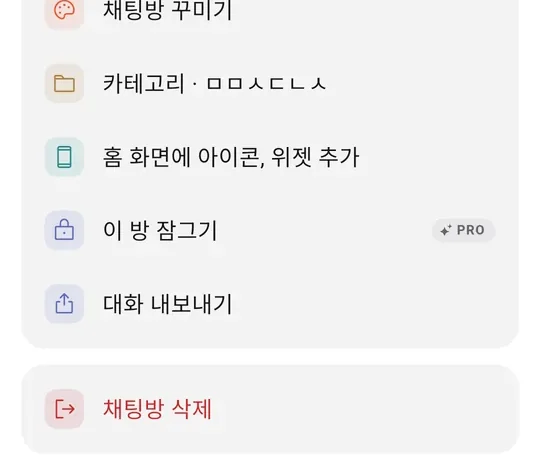
In the chat, open ≡ > Lock this room and turn on Also hide from the list.

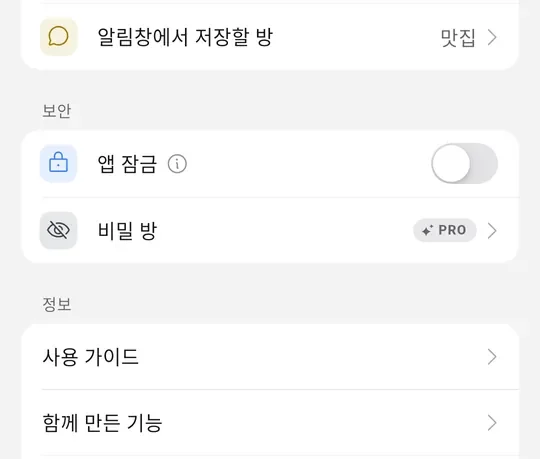
Open it from Settings > Security > Secret rooms.
Tap Unhide to bring it back to the list.
Hide a chat from the list.
In the chat, open ≡ > Lock this room and turn on Also hide from the list.
Open it from Settings > Security > Secret rooms.
Tap Unhide to bring it back to the list.